How to measure blog performance: three readings, and what each one cannot tell you
To measure blog performance, take three readings of each article: Search Console, AI citations and enquiries, each with what it cannot see. If you are the marketer or site owner who has to show your content works, the first two show how the search engine and AI assistants see an article, and the third shows who acted on it.
We show our pages' empty Search Console state on 8 November 2026 and our tracker's question counts for one category, but no enquiry reading of ours.
What do the usual blog metrics measure, and what do they leave out?
Of the usual blog metrics in the six guides we opened, most are counts of what happens on your website after a visit. Together the six name page views, bounce rate, new and returning visitors, traffic by channel and conversion rate, plus off-site links, social signals and keyword tracking.
We opened the six readable pages in Google's US results for how to measure blog performance on 9 November 2026; two more would not load. Of the 6, 4 list bounce rate, 5 list leads, enquiries or conversions as something to track, and 1 mentions Search Console. Between them, the six lists name organic traffic from search, referrals and shares on social media, email subscribers and returning visitors. The six guides name sensible things to watch for a blog. None of the 6 describes a reading taken on a schedule with a stated method. None of the 6 mentions AI assistants, and none publishes a measurement of its own. Those three tests are our view of what matters, from a company that measures AI citations, not a neutral standard.
Bounce rate means something different in Google Analytics 4, or GA4, from what it meant in Universal Analytics. The GA4 rate is the share of sessions that were not engaged: a session is engaged if it lasts longer than 10 seconds, has a key event, or has 2 or more page views, in the words of GA4's engagement rate and bounce rate page. Universal Analytics counted a bounce when a session had only one page view and only one request to the Analytics server; a GA4 reader who spends a minute on one article and leaves is an engaged session. Google's comparison page notes a blog owner "might not mind if customers visit your site to read an article and then leave." GA4's engagement page calls the engagement rate the opposite of the bounce rate; most GA4 reports show neither by default, so an Editor or Administrator must add them to a detail report. We give no benchmark for a good rate; we found none we could trace to a method.
How do you read Search Console for one blog post?
Checking one blog post in Search Console takes three moves in the Performance report: open it, filter it to that page, and compare its clicks and impressions for this period against the one before. The three moves show that page's search traffic: how often it appeared in search results and how often someone clicked.
The Performance report help defines four metrics: clicks, impressions, average position, and click-through rate, "the click count divided by the impression count", which is why a rate needs its denominator before a fall means anything. To track one blog post, filter by Pages with "URLs containing" and compare two date ranges, such as this week against last week; the page's queries then show which keyword searches brought it up. Check that those keyword searches are the ones the page was written for. Data arrives 48 hours after Search Console collects it, and the tool keeps 16 months, so export what you want to keep. Filtering by URL can affect the report totals. Of the SEO reports you can open, Search Console is the search engine's own, and it counts clicks and impressions in search results, before the visit. An analytics tool counts page views on your website, after the visit, so we would not expect the two to match. The Performance report covers Google Search alone, AI Overviews and AI Mode included, and no assistant outside Google Search.
AI Overviews and AI Mode sit inside these totals: sites appearing in them "are included in the overall search traffic in" Search Console, within the Web search type. An AI Overview click counts, per the clicks and impressions page: "Clicking a link to an external page in the AI Overview counts as a click." An AI Overview gives all its links one position. The Performance report does not separate them, so a change in your totals can come from AI features. Our page on impressions against clicks and the logging error explains both.
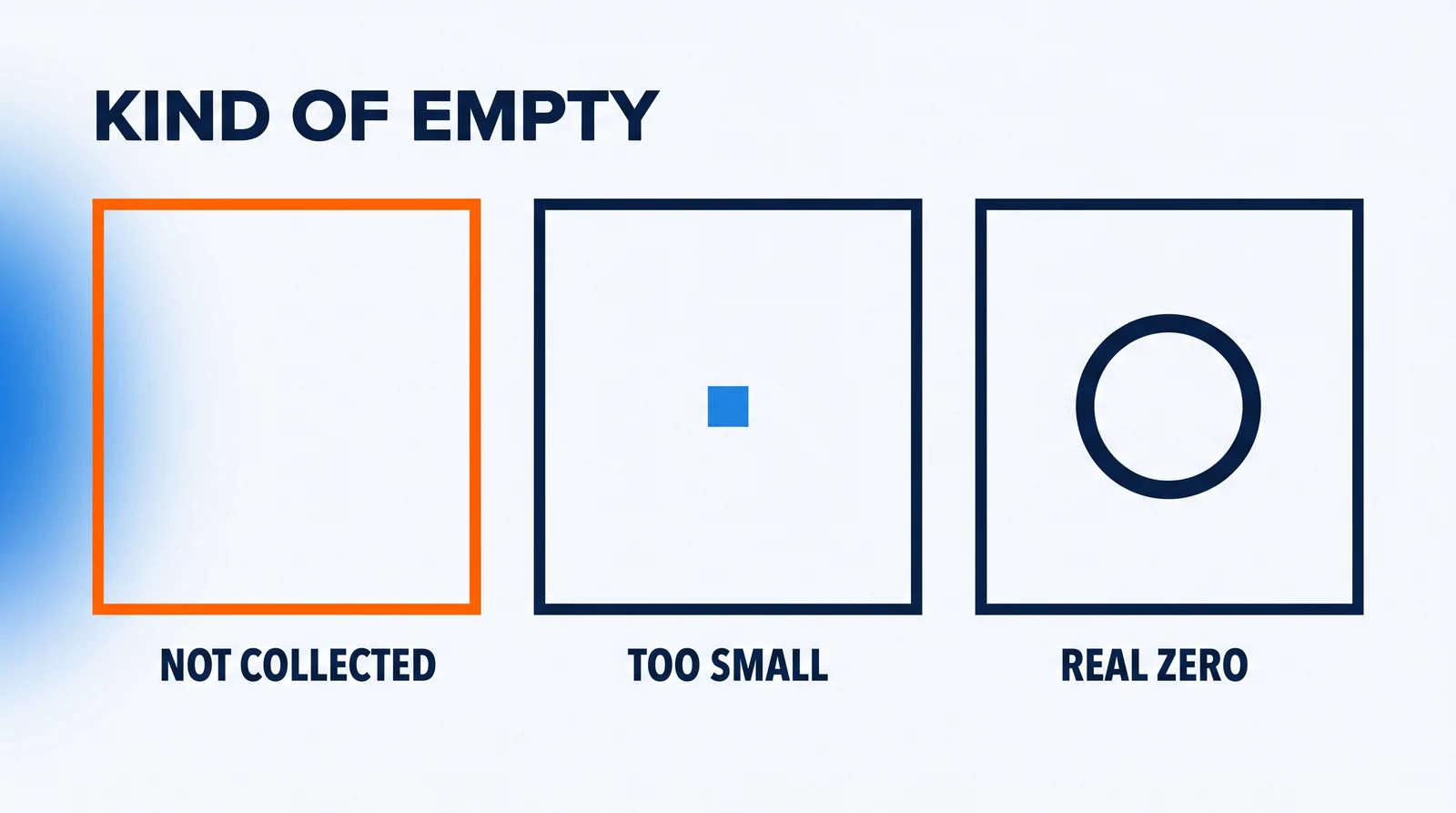
Our platform reads Search Console for our own pages each week, under rules we set ourselves. A blog post or page published less than 28 days ago is watched, not judged. We count a change on a page only when both windows have at least 100 impressions, and clicks decide it: a change of at least 5 clicks and 20% of the before window. The 28-day and 100-impression rules are ours, not Google's and not a standard. On the brief of 8 November 2026, 48 of our 70 live pages had been live 28 days or more, and 0 of the 48 carried a reading: none had failed and none was collected. That empty count is a gap, not a zero. The platform's rule for a reading that failed is separate: "It is never counted as zero; a real zero is a reading that worked and found nothing." We keep measuring, and will publish the first figures collected.
For your blog post, write both Search Console windows down with the date. If impressions are too small, the honest verdict on the post is "cannot tell yet", not "it failed".
How do you tell whether AI assistants cite your articles?
The AI citation check is asking an assistant the questions your articles answer and writing down the sources each answer lists. Ask on a fixed schedule; no single console shows every assistant.
The two consoles below each count one part: Google's counts links shown, Bing's citations. Since 31 August 2026, Google's Generative AI performance report has been open to all websites and counts impressions only: "how many times links to your site were shown to a user in a generative AI feature on Google Search", meaning AI Overviews and AI Mode. It may not appear without enough AI-feature impressions, does not say which words an answer used, and covers no assistant outside Google Search. Bing Webmaster Tools' AI Performance report, launched in public preview on 10 February 2026, counts citations shown as sources across Microsoft Copilot, Bing's AI-generated summaries and select, unnamed partner integrations, so it says nothing reliable about other assistants; we covered the free Bing report that counts AI citations, and what it cannot see.
A Search Console impression in AI Overviews or AI Mode records that a link was shown, not that an answer used it. For the assistants no console covers, we measure citations directly off the answers.
Our tracker asks the same pool of questions once a week and keeps up to five links from each answer. Our weekly record of one category, AI visibility and search-optimisation tooling, counts 58 questions in US English from 3 August to 26 October 2026, in the 12 of its 17 weekly runs since 2 August 2026 that asked 40 or more; each asked 40 to 58 of the 58. On 10 August 2026, 44 of the 58 questions had a source; on 26 October 2026, 54 of 58 did. Both are counts of questions whose answer listed at least one source, not citations of any one article or site. Its limits: one category, one language and location; questions we chose, not a sample of what users ask; no named AI engine; a topic list that is unpublished, so the counts cannot be reproduced today; and it shows what changed, never why.
For your own articles, keep the check comparable: the same five questions, the same day each week, the sources written in the same tracking sheet as the other two readings. If your page is never listed, check which of three problems an uncited page has. Watching is how you find out, not something that earns a citation.
How do you connect enquiries to the articles that brought them?
Measuring enquiries for a blog post means recording every enquiry with its date and the article or starting page, because GA4 does not record an enquiry until you set it up.
In GA4, a form submission counts as a lead when it sends Google's recommended `generate_lead` event, for a user who "submits a form or a request for information". Marking that event as a key event, GA4's name for actions "important to the success of your business", where it used to say conversions, makes an online enquiry countable. The Landing page report groups visits by the page they started on and counts each new visitor there. Divide the enquiries that started on an article by the sessions that started there, and you have a conversion rate with its denominator; report both numbers with the rate.
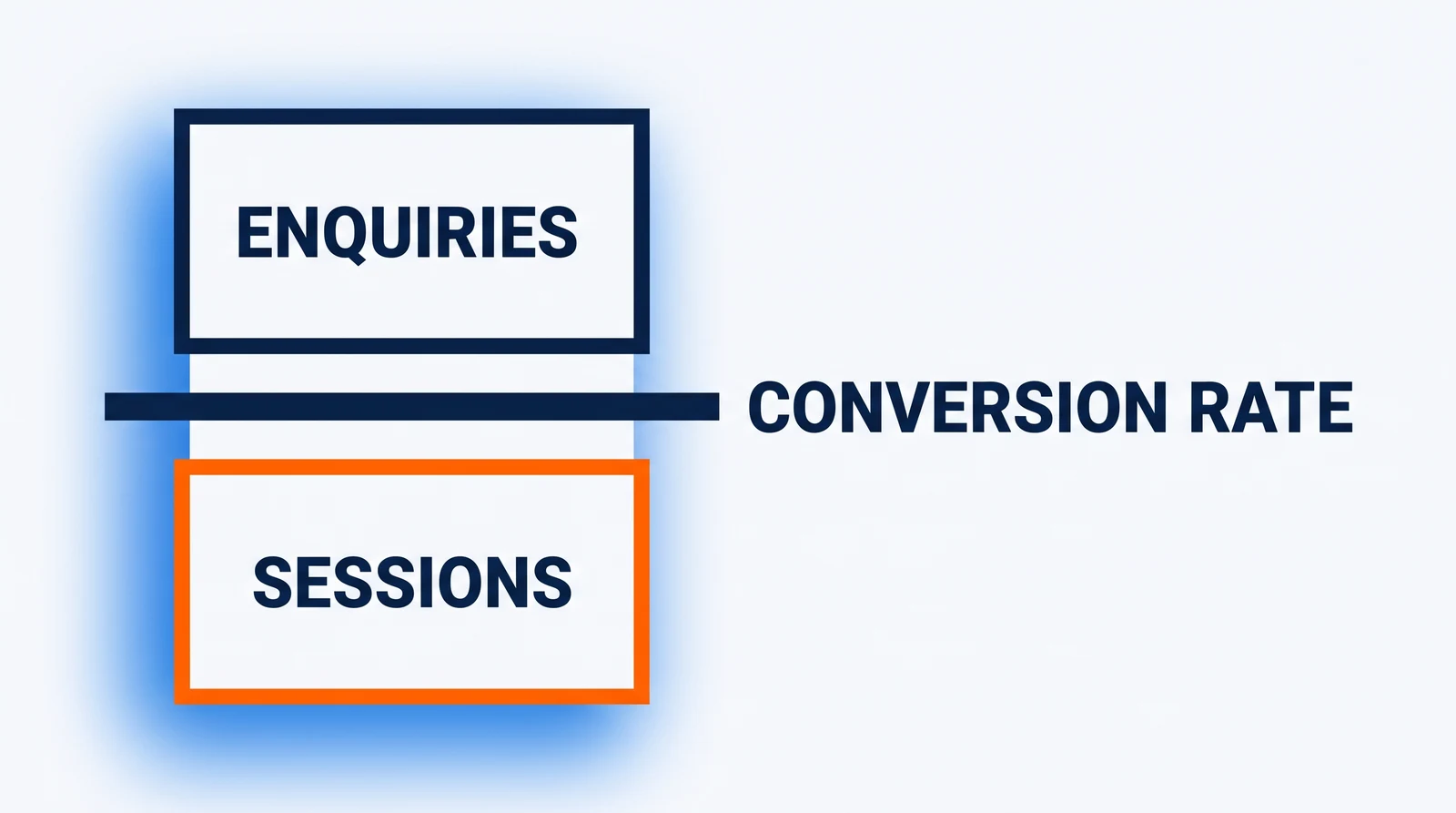
The limits sit with the method. An enquiry by email or phone fires no web event unless you send it in yourself, and the recommended lead event records a submission, not whether it was real. Keep a plain list beside the analytics tool, one line per enquiry: the date, the enquiry, where it came from (the online form, an email, or a social media post that shared the article), and the article it mentions or the page it started on. That list catches the enquiries the dashboard misses.
This article shows no enquiry reading of our own.
What should you check on one article this week?
For one blog post live at least four weeks, keep a weekly tracking sheet with the three readings (Search Console, AI citations, enquiries) and fill in one row a week, in three steps.
- Write down the article's Search Console clicks and impressions for the last 28 days, with today's date.
- Put the same fixed question or questions to an AI assistant every week, and write down whether the article appears as a source.
- Count the enquiries naming or starting on the article over the same 28 days as step 1, from your plain list and GA4's key events for that landing page.
Next to any empty reading, write which kind of empty it is: not collected, too small to judge, or a real zero.
Then do it again on the same day next week. To judge a change, set a row against the row taken four weeks earlier, because those two 28-day windows share no days; until the sheet holds such a row, the reading is recorded, not judged. The dated rows show you where to look before you decide what to improve in a post; what an article is worth to your content strategy is yours to judge. After two weeks, the sheet shows which of the three you can already take on your own website, and which one you still have to build.
What people actually ask us
Can one tool show all three measurements of a blog post?
No single tool covers all three measures of a blog post. Search Console's Performance report counts clicks and impressions from Google Search only; its Generative AI performance report counts impressions of links shown in AI Overviews and AI Mode; Bing Webmaster Tools' AI Performance report counts citations across Microsoft Copilot, Bing's AI-generated summaries and select partner integrations. GA4 counts an online enquiry once a form sends an event that you mark as a key event; an email or phone enquiry fires no web event unless you send it in yourself. For ChatGPT or any assistant outside these consoles, ask the question yourself and record the sources.
How soon can you judge a new blog post?
Google says Search Console data is available 48 hours after it is collected. Our own platform waits until a page has been live 28 days before judging it, and below 100 impressions in either window its answer is "cannot tell". Both are our rules, not Google's; your own wait is your call.
Sources
- Google Search Console Help — Performance report (Search results): the four measures. Checked 9 November 2026.
- Google Search Console Help — Advanced filtering and comparison: page filter, date comparison, totals. Checked 9 November 2026.
- Google Search Console Help — What are impressions, position, and clicks?: AI Overview clicks and positions. Checked 9 November 2026.
- Google Search Console Help — Generative AI performance report: links shown in AI features. Checked 9 November 2026.
- Google Search Central — AI features and your website (10 December 2025): the Web search type. Checked 9 November 2026.
- Google Analytics Help — Connect Search Console: 48-hour delay, 16 months. Checked 9 November 2026.
- Google Analytics Help — Engagement rate and bounce rate: GA4 definitions. Checked 9 November 2026.
- Google Analytics Help — Comparing metrics: the older bounce rate. Checked 9 November 2026.
- Google Analytics Help — Conversions vs. key events: key events. Checked 9 November 2026.
- Google Analytics Help — Recommended events: generate_lead. Checked 9 November 2026.
- Google Analytics Help — Landing page report: visits by first page. Checked 9 November 2026.
- Bing Webmaster Blog — Introducing AI Performance (10 February 2026): Microsoft's citation report. Checked 9 November 2026.
- LiamVi — What does ChatGPT cite in 2026? (7 November 2026): our tracker's method and counts. Checked 9 November 2026.